Weekly Review made easy(ier): The Power of Claude Cowork

For over almost two decades, my late Friday afternoons have been devoted to the weekly review — that ritual drawn from David Allen’s Getting Things Done methodology, where you step back, look at every open loop, and decide what truly matters for the week ahead. As a professor juggling a research program, an administrative portfolio, mentoring obligations, editorial duties, and the occasional plumbing emergency at home, the review is non-negotiable. Without it, things fall through the cracks. With it, I can enter Monday morning with clarity.

What has changed dramatically recently is how I conduct that review. While I still scroll through Reminders lists, I now have a scheduled Claude automation reads every one of my Apple Reminders lists, cross-references them against my week’s daily briefs (OCR’ed automatically from hand my written note, and produces a structured HTML report that I open in my browser each Friday afternoon. The entire process takes about two minutes of compute time and zero minutes of my attention until the report is ready.

The Problem That Needed Solving

Apple Reminders has been my capture system of choice for the past two years, moving away from Cultured Code Things. It syncs instantly across every device, supports Siri dictation, allows file attachments, recurring tasks, location-based tasks, and integrates well with mail rules, shortcuts and scripting. Over the years, I have accumulated between 33-35 active lists at any one time, spanning professional domains (Research projects, Conferences, Mentoring, Review-Referee, administrative-institutional lists), personal categories (Family, Personal, Maintenance), a Waiting For list, and soft lists I think of as “someday/maybe” buckets (Might like to read, Incubating, Ideation, …). On any given Friday, there are north of 400 open reminders distributed across these lists.

The difficulty is not the volume per se — it is the cognitive overhead of context-switching between domains, spotting items that have become time-sensitive since they were captured, and identifying which tasks align with future calendar entries (yes, there is an MCP server for Claude!!!) the strategic priorities I have declared for the current session and week. Doing this manually takes about 1 to 1.5 hours, depending on the level of activity during a given week. Doing it well required a good level of attention that can be hard to sustain at the end of an already long week.

The Architecture

My solution relies on three components that are already part of my daily workflow:

  1. Apple Reminders as the single capture layer. Every actionable items ends up here, initially in the Inbox list.
  2. Claude’s Cowork mode running on my Mac, with the Apple Reminders MCP (Model Context Protocol) connector granting read access to every list. The one used is the apple-reminders MCP server by Dhravya Shah,. It is a Node-based MCP server that interfaces with Apple Reminders (and Calendar) via AppleScript bridges on macO.S
  3. A scheduled task configured to fire every Friday afternoon. The task prompt instructs Claude to query all lists, retrieve both open and recently completed reminders, and generate an HTML report following a precise template.

The scheduled task is defined in a single natural-language prompt. There is no Python script, no shortcut chain, no Zapier integration. The prompt describes the report structure I want, the analysis I expect, and the formatting conventions to follow. Claude handles the rest — iterating through the API calls to Apple Reminders, performing the cross-referencing logic, and writing the HTML file to my working folder, where a macOS Folder Action can optionally open it in the browser.

What the Report Contains

The generated HTML report is divided into six sections, each serving a distinct purpose in the review workflow:

Section 1 — Empty Lists. Lists with zero incomplete tasks. This is a hygiene check: if a list has been empty for several consecutive weeks, it may be a candidate for archiving. The report flags stale lists with a recommendation.

Section 2 — Completed Tasks This Week. Every reminder marked as done during the past seven days, grouped by list, with summary statistics showing which domains consumed the most effort. This is the “what did I actually accomplish” mirror, surprisingly motivating on weeks when it felt like nothing moved forward.

Section 3 — #Project-Tagged Completions. A filtered view of Section 2, isolating only tasks that carry a #Project tag. This lets me track progress on declared multiweek initiatives without noise from routine operational tasks.

Section 4 — Upcoming #Project Deadlines. Any #project-tagged reminder with a due date falling within the next 14 days. When the horizon is empty, Claude flags it as notable and lists the next known deadline further out, along with a warning if major projects have no due dates at all.

Section 5 — Inbox Triage Suggestions. The Inbox list is where everything lands before being sorted. Claude examines each item, proposes a destination list, assigns a priority level (normal, high, urgent), and provides a one-line rationale for the suggested move. This is the section I interact with most actively — it turns the Inbox from a guilt-inducing pile into a decision queue.

Section 6 — Strategic Task Promotion Audit. This is the most analytically ambitious section. Claude cross-references my undated reminders (typically around 400 items across all lists) against two sources of declared intent: the semester-level Top 3 priorities and the weekly Top 3 priorities recorded in my Maintenance list. The output is a three-tier table. Tier 1 identifies tasks that directly operationalize a stated priority but lack a due date — the classic gap between intention and execution. Tier 2 surfaces items with approaching or overdue external deadlines (conference registrations, manuscript reviews, grant forms). Tier 3 highlights dormant tasks that have gained renewed relevance from themes discussed in my week’s daily briefs.

What I Have Learned

Three observations stand out after running this system. First, the value of the report is not in the data extraction — it is in the editorial layer. Claude does not merely list tasks; it produces rationales, flags contradictions between stated priorities and actual behavior, and recommends specific actions. That editorial judgment, grounded in the context of my actual task landscape, is what transforms a list dump into a decision-support tool.

Second, the system is remarkably low-maintenance. The scheduled task prompt has been revised perhaps four times since I first wrote it, mostly to add Section 6 and refine the triage heuristics. Because the prompt is natural language, the iteration is trivial — I describe what I want differently, and next Friday’s report reflects the change.

Third, there is a real psychological benefit to receiving the report as a document rather than interacting with it conversationally. The HTML file is something I can print, annotate, and file. It creates a weekly record — an audit trail of what was open, what was closed, and what was flagged. Over time, these reports have become a lightweight project history that no other tool in my workflow provides.

The Template

For those interested in replicating or adopting this approach, I have also included a PDF of the template (see above) showing the complete structure of the report with all six sections and their subsections. Of course all entries are fictitious, but the layout and section logic are identical to what Claude generates each Friday.
An Automated Handwritten Notes OCR Pipeline

“Automation is not about replacing humans, it’s about freeing them to do more intelligent and creative work.” – Unknown

I have been using ChatGPT as a high-hand virtual Notetaker assistant by OCR’ing screen captures, photos or PDFs of my handwritten notes for a while now. These could be paper notes or from an e-ink tablet (I have been using Supernote Manta for the past few months), but the advantage of AI is that it can use context to complete notes that are difficult to read (you know, bad writing). It can also identify future commitments (meetings and so on) as well as action items (tasks).

I recently started to toy with Claude Cowork as part of Claude desktop application on the mac. The combination of Chat, Cowork and Code in an application for which you can allow certain automated operations and access on your computer opens up interesting possibilities (and the fact that you can explicitly opt-out of sending data for Anthropic is a plus).

First, Claude has user-created “skills” that are used every time certain actions are performed. For one, this allows one to imprint specific requests to create a virtual Notetaker assistant from OCR files. However, you can do much more and have Claude automatically create files by giving authorization to perform certain actions or write a dedicated folder, for example. You can further ask the virtual note taker to extract tasks from your meeting notes.

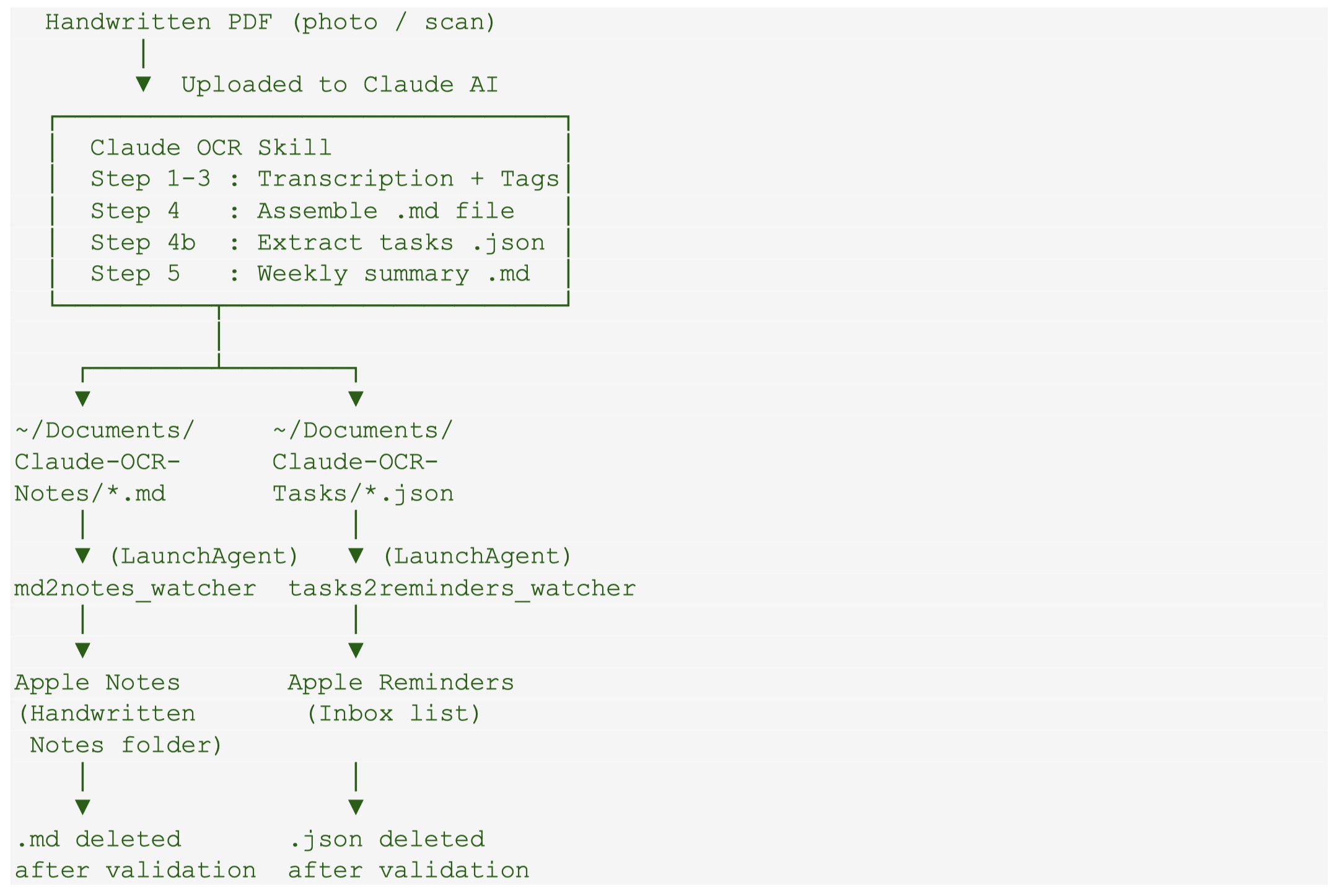
Based on the above, I ask Claude to create folder automation that automatically imports markdown meeting notes to Apple Notes as soon as Claude writes the file to a dedicated folder. The virtual Notetaker further generates a JSON file with extract tasks to another dedicated folder with another automation that captures and imports them in the Inbox list of Apple Reminders.

Figure. The workflow of the automation created to go from handwritten notes to transcribe notes in Markdown in import in Apple Notes as well as extract tasks to Apple Reminders Inbox list.

It took a few back and forth with Claude, but it generated all of the codes, the install shell script to run in the terminal, giving permission to access certain folders and perform certain actions, and finally, the packaging for a GitHub project, which can be found here.

It is freely available (fully generated by Claude based on my prompting) to test and modify. Of course no guarantee provided.

Capture Idea Effortlessly with Funnel App

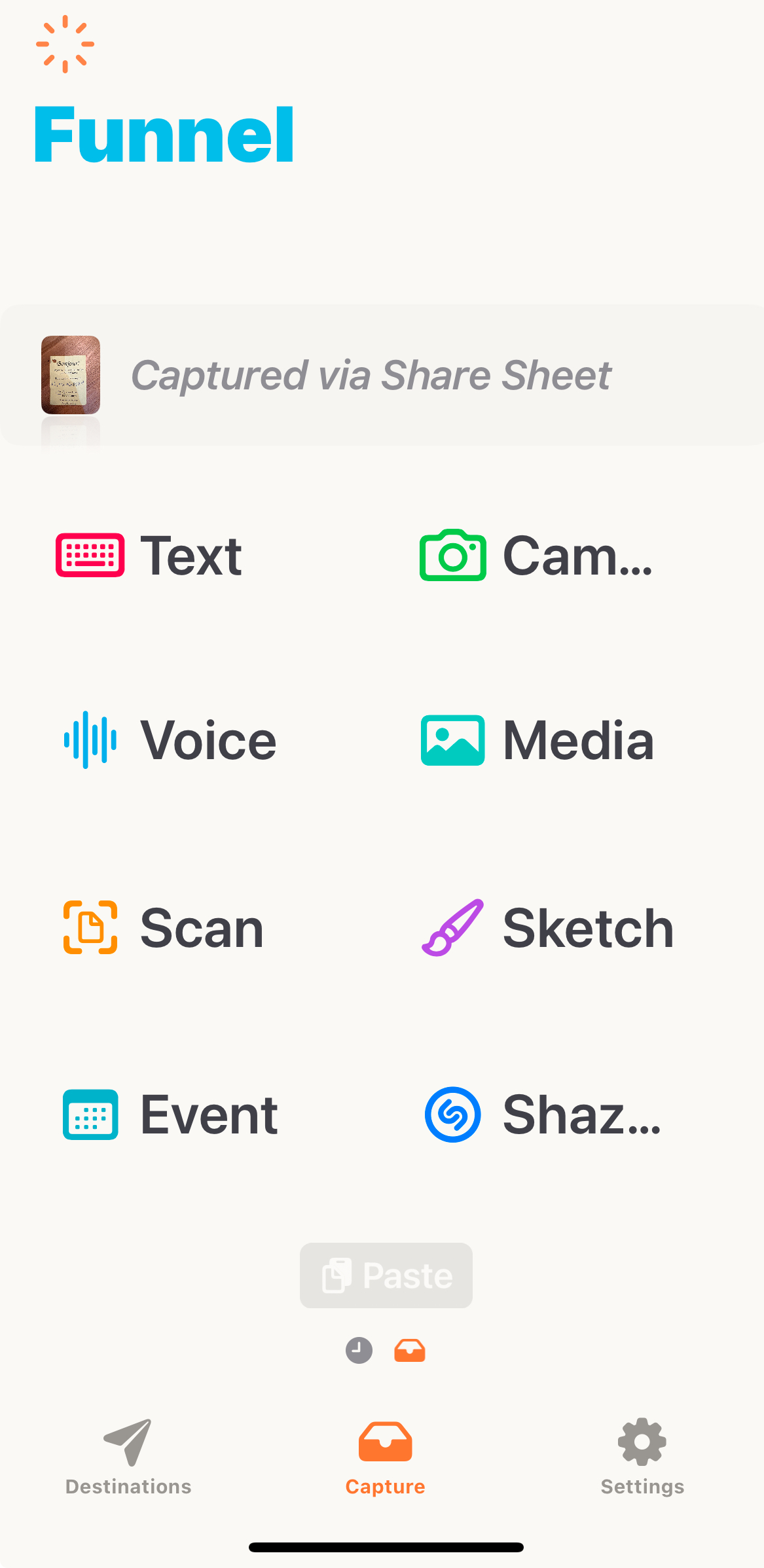
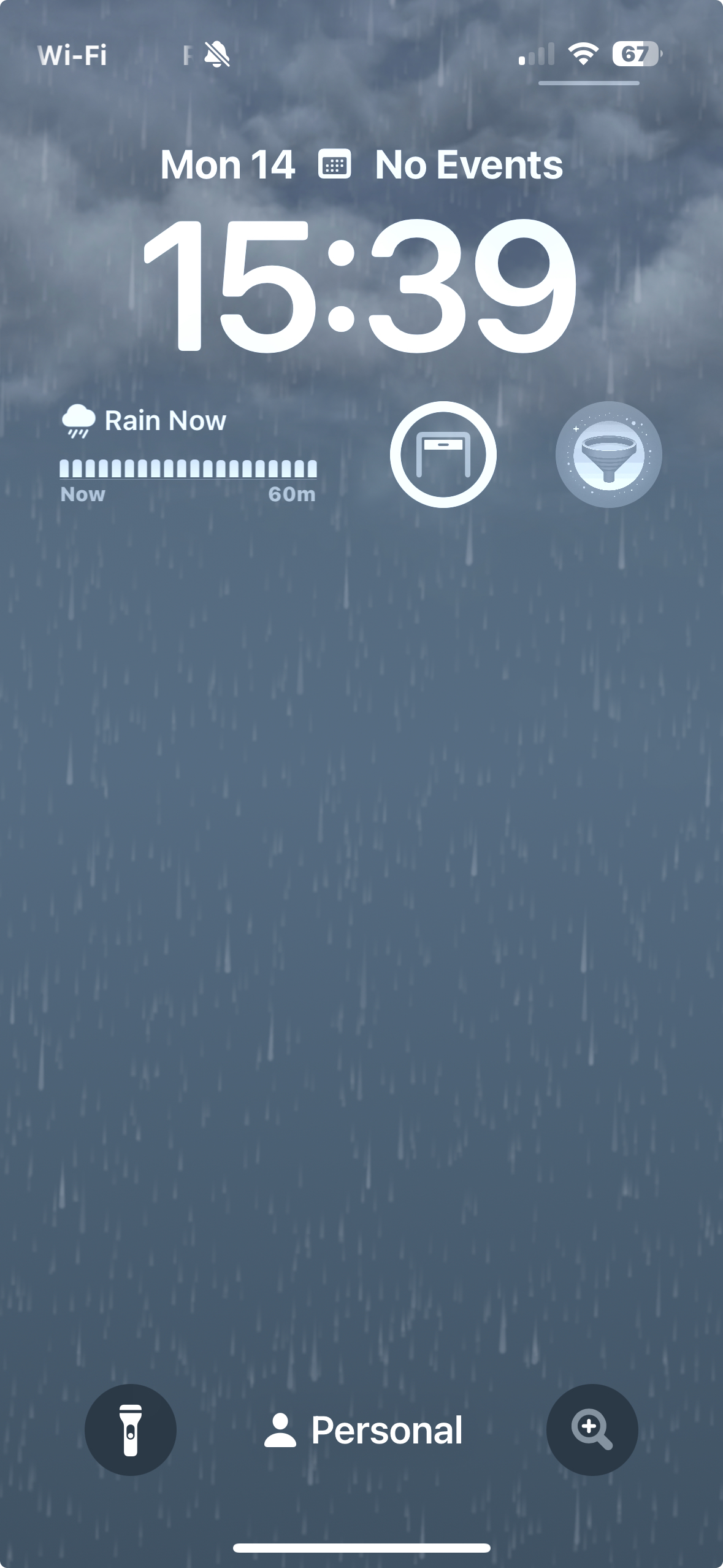
The best capture tool is the one you have with you…at all times. These days, this most probably means your smartphone. Welcome to NoteSight Labs iOS Funnel App. This small app, written by software engineer Dharam Kapila, sits as a widget on your lock screen to be called upon by tapping on the funnel icon (see left image below).

Funnel App icon on the right below the time
All capture options: text, photo, voice, scan or more.
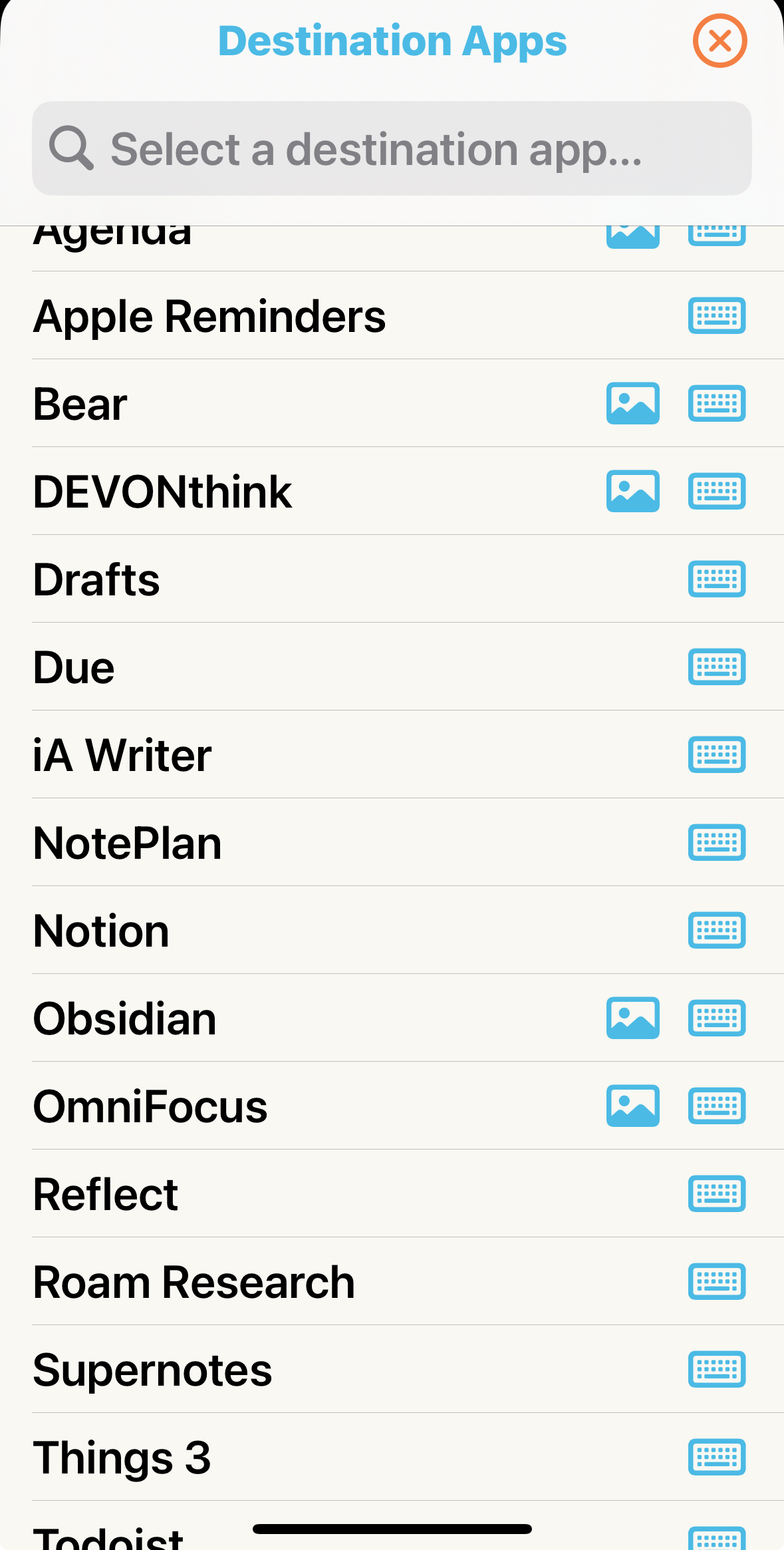
Possible destination Apps. You can customize (see text)

Funnel makes capture idea, tasks and other “inputs” (middle image above) on the fly extremely easy and once that capture is done, you a second click away from your destination (right image above), which can also be configured. In my case, I have two main Inboxes for quick capturing: on in my task manager (Apple Reminder or Things 3: both in the Inbox) and one in my document manager (DEVONThink, using the global Inbox).

The App further support Apple Advanced Data Protection for end-to-end encryption when using iCloud and the Pro version cost 19.99$/year for unlimited capture and access to new feature as they rollout. Since purchasing this app, I have seen frequent update justifying its 1.67$/month no issue.

There you have it, everyday on the fly capture with almost no friction.

CD and DVD ROM: endangered species

“Technology is like a fish. The longer it stays on the shelf, the less desirable it becomes.”
– Andrew Heller

The image below represent blank CD and DVD towers. They have been at that level for years now: I have not burned a CD or DVD for backup in years. Even more interesting is that I am still playing old 33 and 45 vinyl from times to times but music CDs even less often (but that might be a generational thing!). USB flash drive have also become so common that 2 and 4 Gb versions are used to distribute promotional documents. While I think the traditional USB flash drive is also close to the endangered technology list, they still are used widely to move data around, but Cloud-based alternative have become the most “frictionless” method for many digital users.

Continue reading

Apple A7 chip and iOS 7 thorough reviews available…

For those of you following the tech world, in particular computers, the announcement of the A7 64 bits SoC probably got a WOW out of you. It did for me. To me screen size, phone shape and the same has nothing to do with innovation. The issue of 4″ vs. 4.5″ vs. 5″ screens is like preferring a 13″ vs. 15″ vs. 17″ notebook or a 50″ vs. 65″ TV set. However, screen technology providing rendering image, resolution, contrast, color delivery (gamma, …), lower power consumption and the combination of all of them and more that is innovation. The same for custom, optimized and powerful SoC chips that drive these micro-computer… errr smartphone.

Quite frankly looking back at computing since the Z80, TRS-80 and commodore when I started on my first computers, the power packed in commercially available device of such as small format as the iPhone 5S, fitting in one’s pocket and working for hours before recharge, is absolutely amazing. In addition it delivered to the general public a 64 bits platform along with the OS and numerous apps (all of Apple apps on the iPhone 5S have been recompile in 64 bits). It might not register as a big deal to most phone users but it is from a technological standpoint. Also interesting that ARM was joint venture between Apple and two other companies in part to produce power efficient chips for the Newton, such a long time ago it seems.

A very interesting review, with benchmarks, can be accessed at AnandTech. We will certainly know more when someone actually get a layout of the chip (from high-res X-ray), but still very interesting. The review also look at the integrated camera and fingerprint system. Another interesting read is Daring Fireball takes on 5S new technologies.

Today was also the public release day for iOS 7 (like it or not!). Ars Technica published an in-depth-review.

Good reading 😉

Laptop multitasking hinders classroom learning…

With the start of the a new semester approaching fast, here is an interesting study on the effect of laptop in university classroom both on the person of interest and the surrounding peers. Based on my teenagers behavior at home, it seems obvious that multitasking  in the form of (homework, Facebook, music, Skype) or (TV, Facebook, texting) never really worked.

The manuscript is by Sana et al in Computers & Education entitled “Laptop multitasking hinders classroom learning for both users and nearby peers” is demonstrating the (significant) effect in the classroom.

Abstract: “Laptops are commonplace in university classrooms. In light of cognitive psychology theory on costs associated with multitasking, we examined the effects of in-class laptop use on student learning in a simulated classroom. We found that participants who multitasked on a laptop during a lecture scored lower on a test compared to those who did not multitask, and participants who were in direct view of a multitasking peer scored lower on a test compared to those who were not. The results demonstrate that multitasking on a laptop poses a significant distraction to both users and fellow students and can be detrimental to comprehension of lecture content.

Thanks to those who have pointed out this study on LinkedIn.