Capture Idea Effortlessly with Funnel App

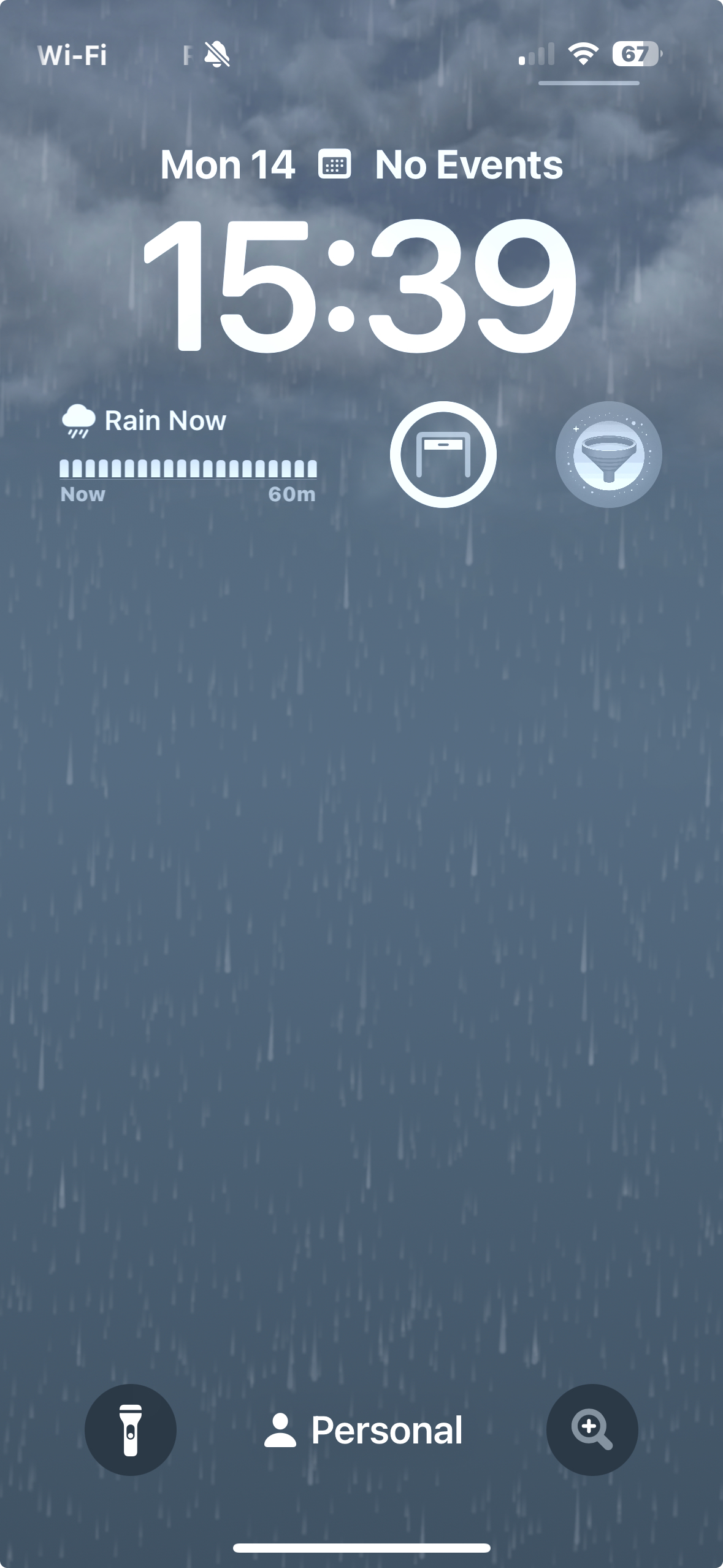
The best capture tool is the one you have with you…at all times. These days, this most probably means your smartphone. Welcome to NoteSight Labs iOS Funnel App. This small app, written by software engineer Dharam Kapila, sits as a widget on your lock screen to be called upon by tapping on the funnel icon (see left image below).

Funnel App icon on the right below the time
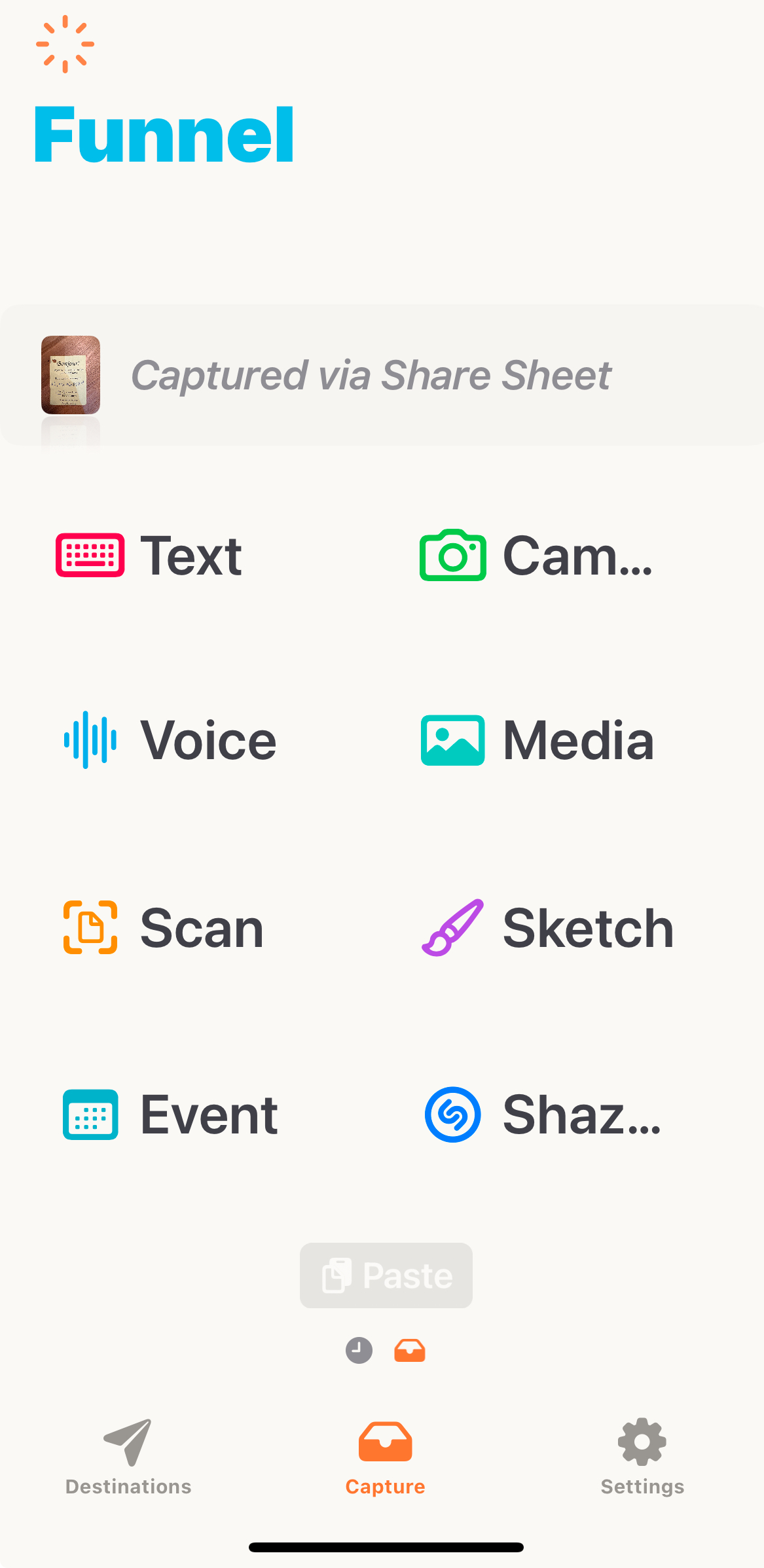
All capture options: text, photo, voice, scan or more.
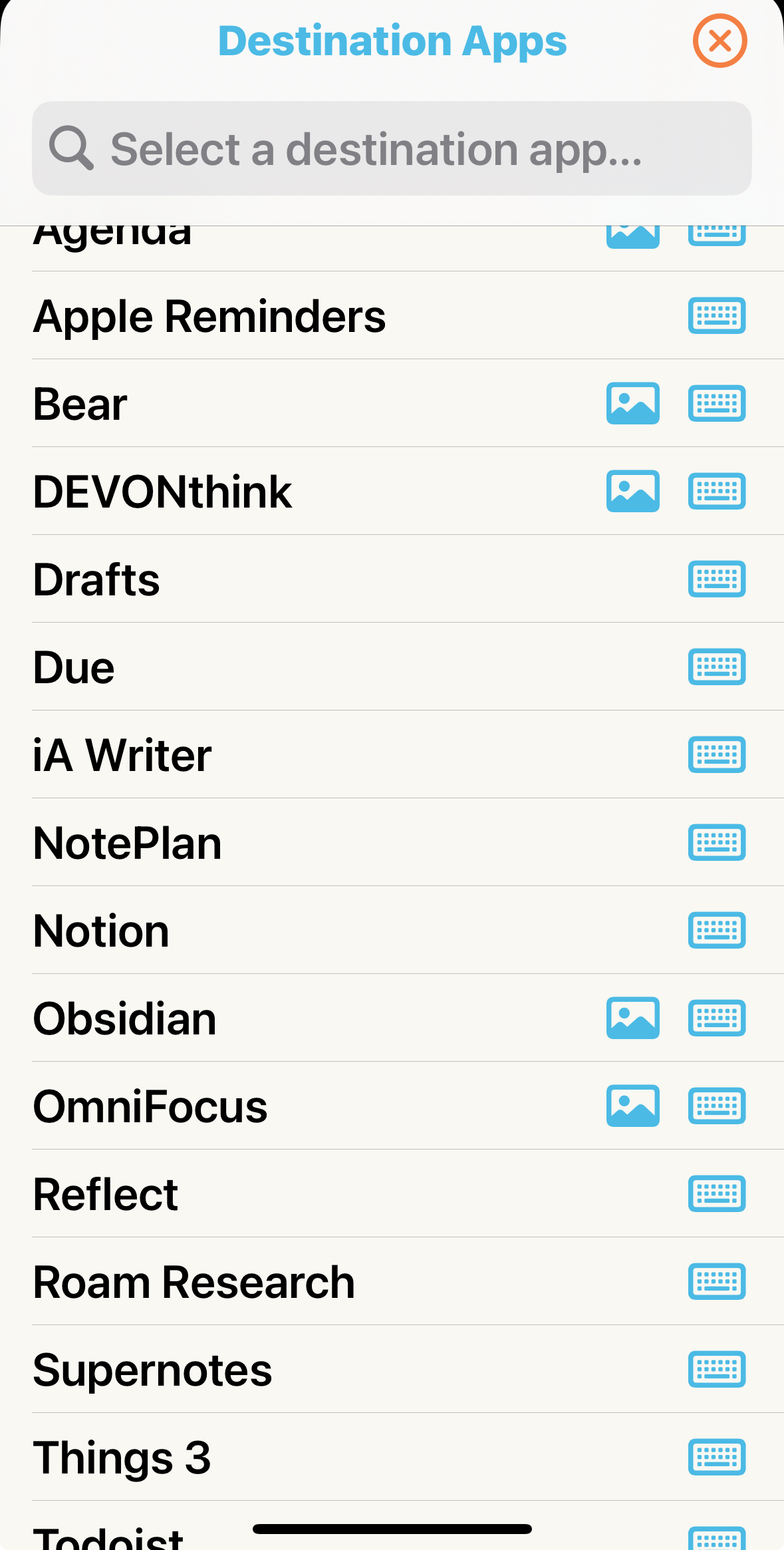
Possible destination Apps. You can customize (see text)

Funnel makes capture idea, tasks and other “inputs” (middle image above) on the fly extremely easy and once that capture is done, you a second click away from your destination (right image above), which can also be configured. In my case, I have two main Inboxes for quick capturing: on in my task manager (Apple Reminder or Things 3: both in the Inbox) and one in my document manager (DEVONThink, using the global Inbox).

The App further support Apple Advanced Data Protection for end-to-end encryption when using iCloud and the Pro version cost 19.99$/year for unlimited capture and access to new feature as they rollout. Since purchasing this app, I have seen frequent update justifying its 1.67$/month no issue.

There you have it, everyday on the fly capture with almost no friction.

CD and DVD ROM: endangered species

“Technology is like a fish. The longer it stays on the shelf, the less desirable it becomes.”
– Andrew Heller

The image below represent blank CD and DVD towers. They have been at that level for years now: I have not burned a CD or DVD for backup in years. Even more interesting is that I am still playing old 33 and 45 vinyl from times to times but music CDs even less often (but that might be a generational thing!). USB flash drive have also become so common that 2 and 4 Gb versions are used to distribute promotional documents. While I think the traditional USB flash drive is also close to the endangered technology list, they still are used widely to move data around, but Cloud-based alternative have become the most “frictionless” method for many digital users.

Continue reading

Apple A7 chip and iOS 7 thorough reviews available…

For those of you following the tech world, in particular computers, the announcement of the A7 64 bits SoC probably got a WOW out of you. It did for me. To me screen size, phone shape and the same has nothing to do with innovation. The issue of 4″ vs. 4.5″ vs. 5″ screens is like preferring a 13″ vs. 15″ vs. 17″ notebook or a 50″ vs. 65″ TV set. However, screen technology providing rendering image, resolution, contrast, color delivery (gamma, …), lower power consumption and the combination of all of them and more that is innovation. The same for custom, optimized and powerful SoC chips that drive these micro-computer… errr smartphone.

Quite frankly looking back at computing since the Z80, TRS-80 and commodore when I started on my first computers, the power packed in commercially available device of such as small format as the iPhone 5S, fitting in one’s pocket and working for hours before recharge, is absolutely amazing. In addition it delivered to the general public a 64 bits platform along with the OS and numerous apps (all of Apple apps on the iPhone 5S have been recompile in 64 bits). It might not register as a big deal to most phone users but it is from a technological standpoint. Also interesting that ARM was joint venture between Apple and two other companies in part to produce power efficient chips for the Newton, such a long time ago it seems.

A very interesting review, with benchmarks, can be accessed at AnandTech. We will certainly know more when someone actually get a layout of the chip (from high-res X-ray), but still very interesting. The review also look at the integrated camera and fingerprint system. Another interesting read is Daring Fireball takes on 5S new technologies.

Today was also the public release day for iOS 7 (like it or not!). Ars Technica published an in-depth-review.

Good reading 😉

Laptop multitasking hinders classroom learning…

With the start of the a new semester approaching fast, here is an interesting study on the effect of laptop in university classroom both on the person of interest and the surrounding peers. Based on my teenagers behavior at home, it seems obvious that multitasking  in the form of (homework, Facebook, music, Skype) or (TV, Facebook, texting) never really worked.

The manuscript is by Sana et al in Computers & Education entitled “Laptop multitasking hinders classroom learning for both users and nearby peers” is demonstrating the (significant) effect in the classroom.

Abstract: “Laptops are commonplace in university classrooms. In light of cognitive psychology theory on costs associated with multitasking, we examined the effects of in-class laptop use on student learning in a simulated classroom. We found that participants who multitasked on a laptop during a lecture scored lower on a test compared to those who did not multitask, and participants who were in direct view of a multitasking peer scored lower on a test compared to those who were not. The results demonstrate that multitasking on a laptop poses a significant distraction to both users and fellow students and can be detrimental to comprehension of lecture content.

Thanks to those who have pointed out this study on LinkedIn.

Getting a summer job in a research group?

For an undergrad student, applying and getting a summer job in a research group can be a life changing experience. This is when you will get a taste of what doing scientific research, along side graduate students, feels like. For many, this is all the necessary push needed to apply to graduate studies.

Continue reading

The One Day Initiative

As expected, December 21st 2012 has passed. Earth and humans are still there, no end of the world in sight, no apocalyptic scenario (though we had a nice winter storm 😉 )

It is quite impressive that almost 1 Canadian out of 10 believe in these dooms day announcements. See this link: One in Seven (14%) Global Citizens Believe End of the World is Coming in Their Lifetime | Ipsos.

Even sadder, is when a society that thrived on science and technological advances (which is impossible  if the fundamental discoveries were not performed), a society that has split the atom and uses its power for energy, medicine… and yes military applications, believes at a level of almost 50% of the population, that Earth age is orders of magnitude younger than science tell us and that the bible provides an accurate account of the creation (In U.S., 46% Hold Creationist View of Human Origins.).

When this happen, we as scientists have failed to communicate efficiently with the public. We, scientists, need to get involved and educate on a larger scale.

Last year, I spent one day meeting over 500 students from a high school talking about radiation, radioactivity and its use in medicine. I intend to repeat the experience this year. If  I alone, during that single day, was able to reach hundreds of peoples, together we can reach out to millions, covering hundreds of topics.

Wouldn’t it be nice if one day per year would be dedicated officially to science and technology education conferences by experts for the general crowd, coming back every year at a similar date? Every school would have to get this day planned in their calendar year. In return, every University would make their advance graduate students, postdoctoral fellows, researchers and professors available on that day (no classes!)… Wouldn’t it be an exceptional day!

In the mean time, for 2013, I challenge you to give one day: let’s call it the one day initiative (it needs a good name!) to meet, talk with and educate your fellow citizens about science and technology. This can be meeting elementary or high school students, make a public conference, participate in a scientific debate, …

If you like this concept, please do disseminate the link to this blog post and use the name one day initiative as often as you can. Maybe by the sheer numbers we can create something new.