Invest in a good manuscript (PDF) management system

If, as starting graduate students, you are following my first key advice of reading on a regular basis scientific manuscripts related to your field of research in general and your project in particular, you’ve probably reach an obvious observation:  you are collecting a large number of PDF files very quickly.

There are, of course, a few more observations to be made:

Continue reading

The highest data density storage achieved as of yet is done with DNA!

The state of the art 20 years from now might look like a combination of quantum computing and DNA-based high capacity storage 😉

Here is a great link from Engadget: Harvard stores 704TB in a gram of DNA, may have us shopping for organically-grown storage (video) — Engadget.

Digital Office Part V: making it work!

So far, posts in this digital office series this blog have tackled the hardware selection and components, OSX and iOS software, and finally the inputs or “Inboxes”. In this post, I will try to illustrate how all the pieces come together and making it all work.

Continue reading

Cultured Code Things 2 for OSX and iOS it out…finally!

In the included figure, you can switch Things for your favorite task manager. However, at this time on the Mac I do not think you will be able to reach this level of integration and ability to deal with a large number of projects with applications other than Things and OmniFocus. No, a simple task-only list application won’t cut as it does not scale.

– Luc Beaulieu, Digital office part IV


Yesterday, (August 9 2012), Things version 2.0 was released on all platforms (Mac, iPhone and iPad). The major newsworthy portion of these releases is that after years of waiting (no kidding!), Cultured Code has finally and officially introduced a fast and scalable cloud sync on OSX and iOS devices. The beta version was quite reliable and I had adopted it as my main daily usage a few months ago. Going from the beta to the new official 2.0 release went like a breeze.

This version also introduces a new daily reviews which I really likes in the beta version and a more polished UI on iOS. Quite frankly the iPad version is simply gorgeous ever since it was released in 2010. Doing a weekly review on the iPad is even fun!

The presentation of individual tasks by Areas and Projects had been removed for a while in the OSX beta version but I assumed that the numerous peoples on the forum asking for the option to be reinstated has found a good hear within the developers; the preference pane now provides for this specific choice (which I turned on immediately).

Since I am still with the iPhone 3GS, I cannot comment on the integration with Siri and Reminders (as described by Cultured Code) but on OSX you can indeed pick one list from Apple’s app and have a two way sync (including display in the new notification center).

Kudos Cultured Code 😉



Old technology, new science!

Space probes Pioneer 10 and Pioneer 11 were launch in the early 70’s with what would be nowadays called rudimentary technology. Yet they had extremely long, in fact 15 times longer than the expected minimum of 2 years(!), and productive life. These were truly amazing and well-design engineering pieces.

Yet even as the probes are out of touch with us, new science is being done as reported by Ars Technica.

Thinner, lighter and faster

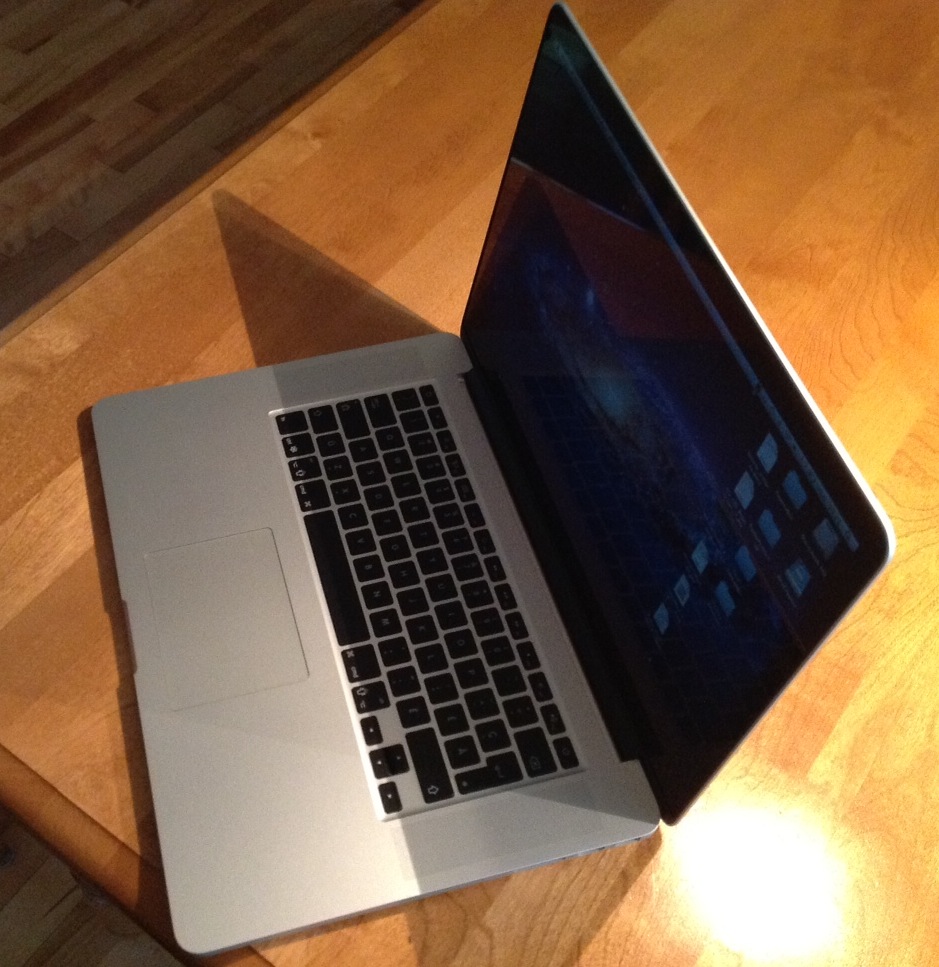
Just received my new workhorse, a brand new MacBook Pro Retina display. 2.7 Ghz Quad-core i7, 16 Gb ram and a large 750 Gb SSD drive 😉

So far, not only the display is quite amazing but the speed of the thing. Booting take less than 11 seconds thanks to the new generation of SSD drive used in this MacBook Pro. Get off the sleep mode is almost instantaneous. The screen remain visible even as you approach 180 degrees. The difference in weight with my 2010 MBP is obvious and this notebook is clearly thinner. I will get a few weeks of usage and report on the lack of DVD/CD drive (which I have not been using very often on my old MBP).