
“Automation is not about replacing humans, it’s about freeing them to do more intelligent and creative work.” – Unknown
I have been using ChatGPT as a high-hand virtual Notetaker assistant by OCR’ing screen captures, photos or PDFs of my handwritten notes for a while now. These could be paper notes or from an e-ink tablet (I have been using Supernote Manta for the past few months), but the advantage of AI is that it can use context to complete notes that are difficult to read (you know, bad writing). It can also identify future commitments (meetings and so on) as well as action items (tasks).
I recently started to toy with Claude Cowork as part of Claude desktop application on the mac. The combination of Chat, Cowork and Code in an application for which you can allow certain automated operations and access on your computer opens up interesting possibilities (and the fact that you can explicitly opt-out of sending data for Anthropic is a plus).
First, Claude has user-created “skills” that are used every time certain actions are performed. For one, this allows one to imprint specific requests to create a virtual Notetaker assistant from OCR files. However, you can do much more and have Claude automatically create files by giving authorization to perform certain actions or write a dedicated folder, for example. You can further ask the virtual note taker to extract tasks from your meeting notes.
Based on the above, I ask Claude to create folder automation that automatically imports markdown meeting notes to Apple Notes as soon as Claude writes the file to a dedicated folder. The virtual Notetaker further generates a JSON file with extract tasks to another dedicated folder with another automation that captures and imports them in the Inbox list of Apple Reminders.
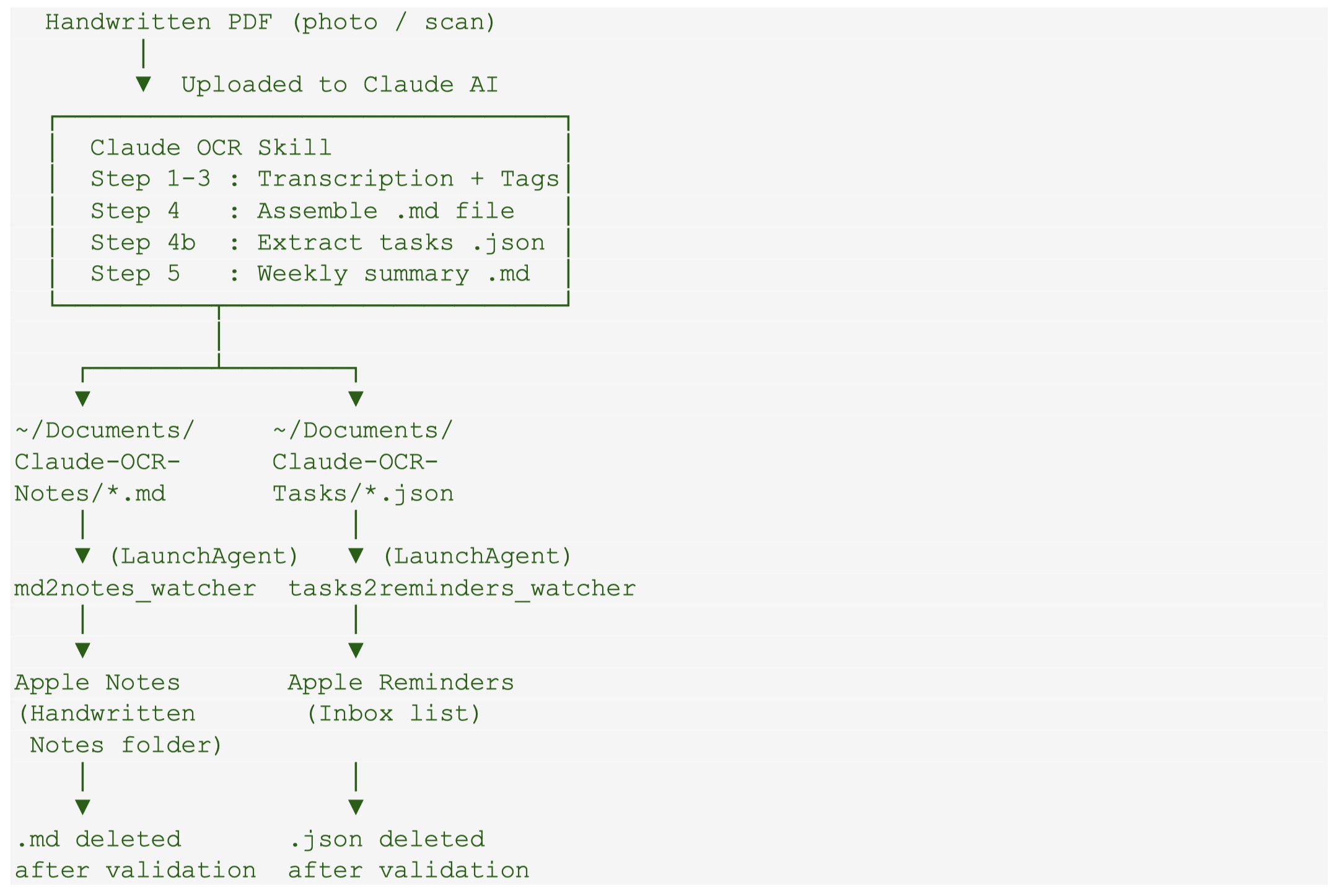
It took a few back and forth with Claude, but it generated all of the codes, the install shell script to run in the terminal, giving permission to access certain folders and perform certain actions, and finally, the packaging for a GitHub project, which can be found here.
It is freely available (fully generated by Claude based on my prompting) to test and modify. Of course no guarantee provided.
 Ruminating...