I will post more once I get to try them but version 3 for both Mac OS and iOS of Papers are available for download. There are paying upgrades.
Papers 3 for Mac and iOS now available
Reply

I will post more once I get to try them but version 3 for both Mac OS and iOS of Papers are available for download. There are paying upgrades.
I receive around 500 e-mails per week to my work e-mail account. About 40% of these e-mails are not “important” in the sense that they do not need any response or action from me. They are rather bulk emailing (yes even from my workplace!), news-related emails and so on. For the past 6 months, almost 10% of my e-mail comes from China and other places to “invite” me to participate to so-called scientific meetings in fields of research that are not even close to what I am doing. Finally of the remaining 60%, only a fraction needs a fast turn around. The VIP option of OS X Mail is certainly a step in the right direction but not full proof.
If you have been following my blog and read the Digital Office section, you know that I keep all of my on-going projects’ e-mails on the corporate (university) server and I link key folders and e-mails to my digital file management system (DevonThink Pro Office) and task manager (Things). I do follow GTD processes when handling my Inbox.
The problem with the low priority, bulk and junk emails is that corporate servers and Apple Mail screening cannot filter all of them properly. Sure you could create rules but you would have to create tens of such rules every week. This takes times and you have to manage those rules afterward. It is not very effective.
Last July, I discovered SaneBox. I started with the two weeks free trial and decided to stick with it since then. One of the thing I really like of DevonThink is the artificial intelligence (AI) used for automatic classification of files. It would be really nice if the guys at DevonTechnologies did a Mail plug-in to do the same with the tons of e-mails I have (no I do not want to throw my e-mails in DevonThink) but they are not. Welcome to SaneBox! SaneBox adds a layer of intelligent filtering (hope it is not NSA driven!) to your e-mails. It creates extra mailboxes. In my case, the figure below shows four of them: @SaneLater, @SaneBlackHole, @SaneNews and @SaneBulk. The others are mine and I use them for classification once dealt with in the Inbox.
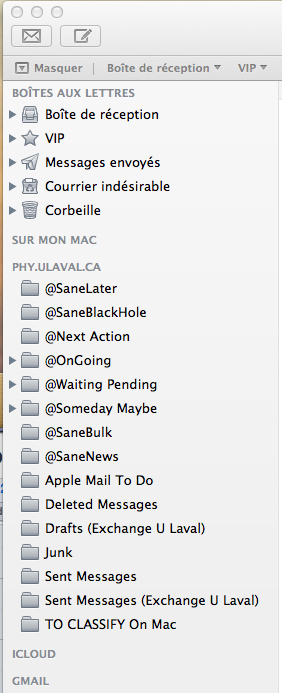
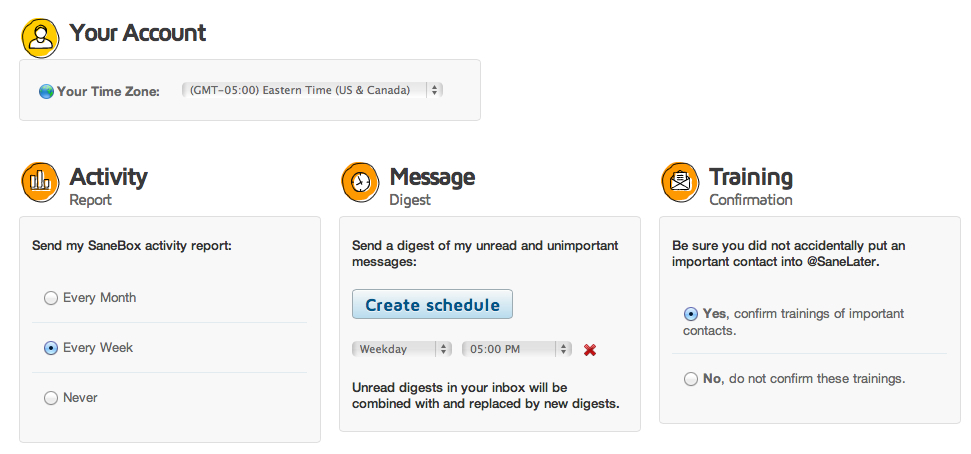
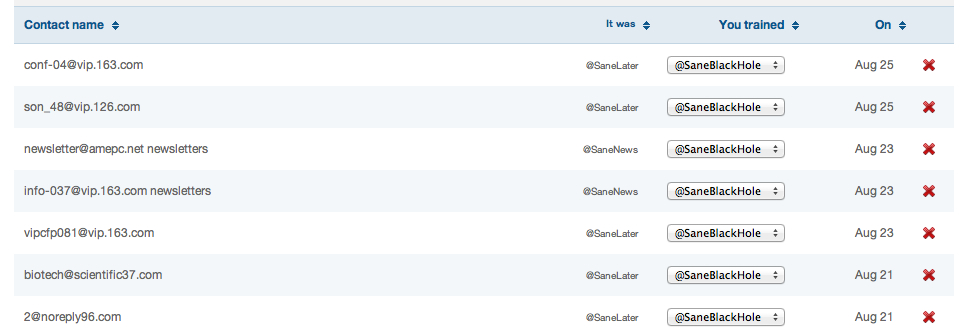
SaneBox redirection of e-mails from your Inbox to its associated folders is not only based on senders and subjects only but also on contents. So for example, once I have trained for a few these “strange” conference invitation e-mails to go to the Black Hole folder (self explanatory 😉 ), most of the new ones, even if the subjects or sender e-mail’s addresses are difference, end up there! You do have the chance to intervene and correct a mistake if needed. In fact you control how much feedback you received from SaneBox and the setting are quite simple. The two figures below shows my current settings and an example of e-mails moved automatically to the @SaneBlackHole box. The pop-up menu let’s you “trained” SaneBox behavior to your taste.
The @SaneNews and @SaneBulk folders are quite self-explanatory. Anything related to bulk e-mailing from work, associations, LinkedIn (and similar), software update alert all end-up in these folders, which you can read – and delete – when you want!
The @SaneLater is probably the most interesting. It is meant for all other e-mails that do not fits the other categories, that are kind of important but do not need your attention in the short term. For example, I received frequent request for graduate studies (a few per day). Since the senders are not usually part of my address book, these e-mails ends-up in the @SaneLater. Like the other folders, you can train them by simply dragging a message from one folder to the other. If you drag a message from the @SaneLater to your Inbox, SaneBox will understand that you want this person’s e-mail to be in your Inbox in the future and vice-versa.
There are a few more folders you can have access to as shown below. I have not used any of them until now.
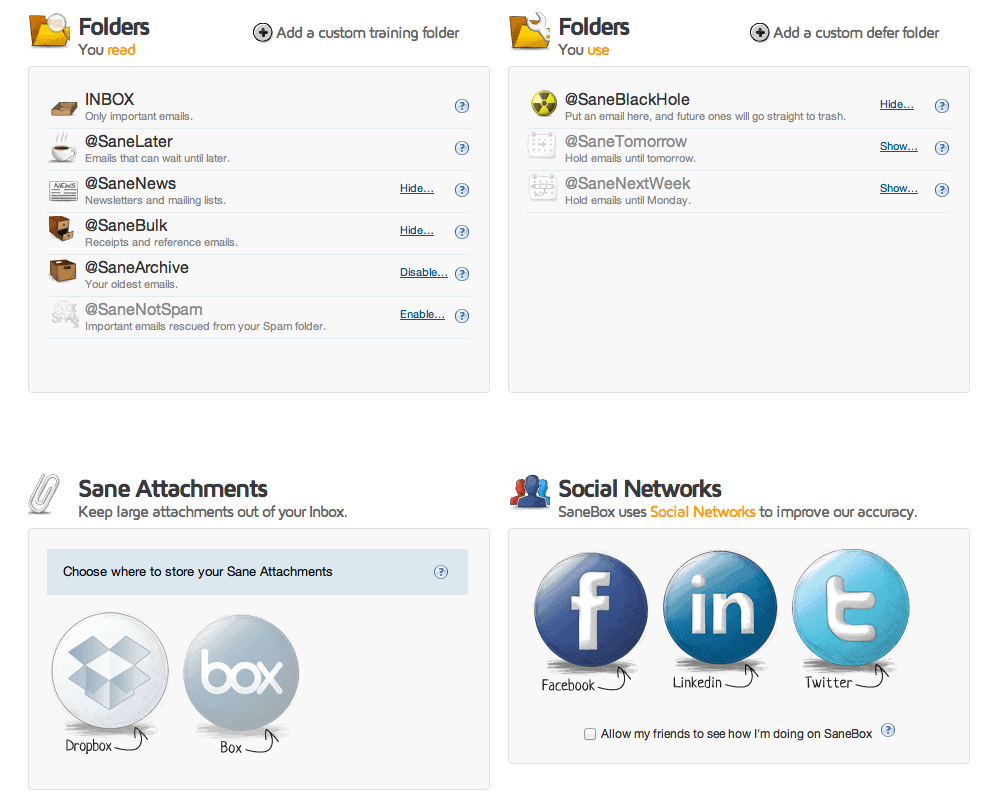
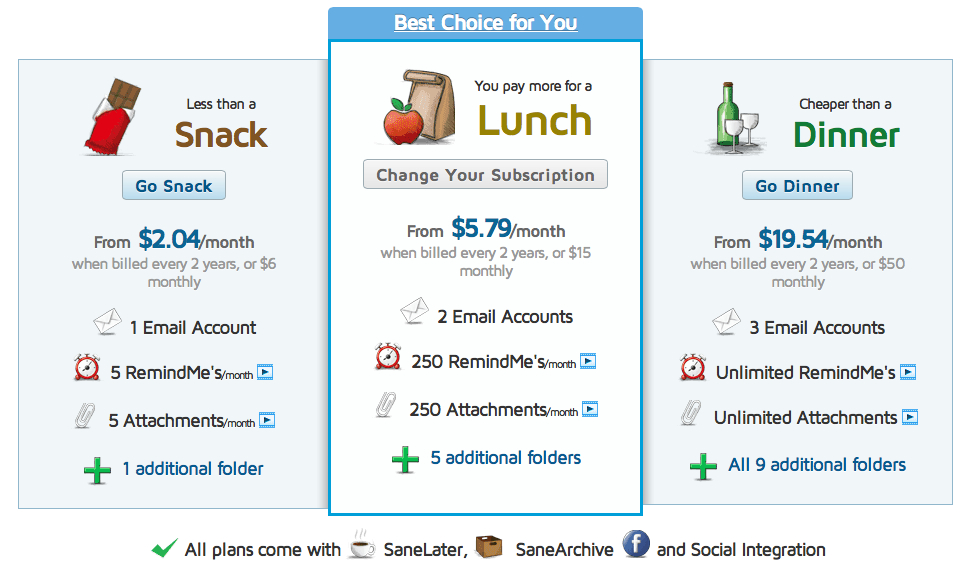
As for the price, on the SaneBox web page, you find three different packages based on the cost of a snack, lunch or dinner. I think my best package would be Lunch with 3 mailboxes. You will also note that you can automatically strip attachment to a dedicated folder on DropBox for example (Attachments option). I do not use this, since all files are transferred to DevonThink for me but this option might be interesting for some peoples.
In conclusion, SaneBox training is easy (dragging e-mails from one folder to another). I found SaneBox classification of e-mails quite efficient, you do not have to think about it after a week or two of training and it performs its work quietly in the background. Note that the extra mailboxes are created on the Server. So it is transparent with iOS Mail application. If you are interested in SaneBox, follow this link (and we both get a rebate!): https://www.sanebox.com/signup/fa39aa9fec
 Ruminating...